Application & enquiry questions
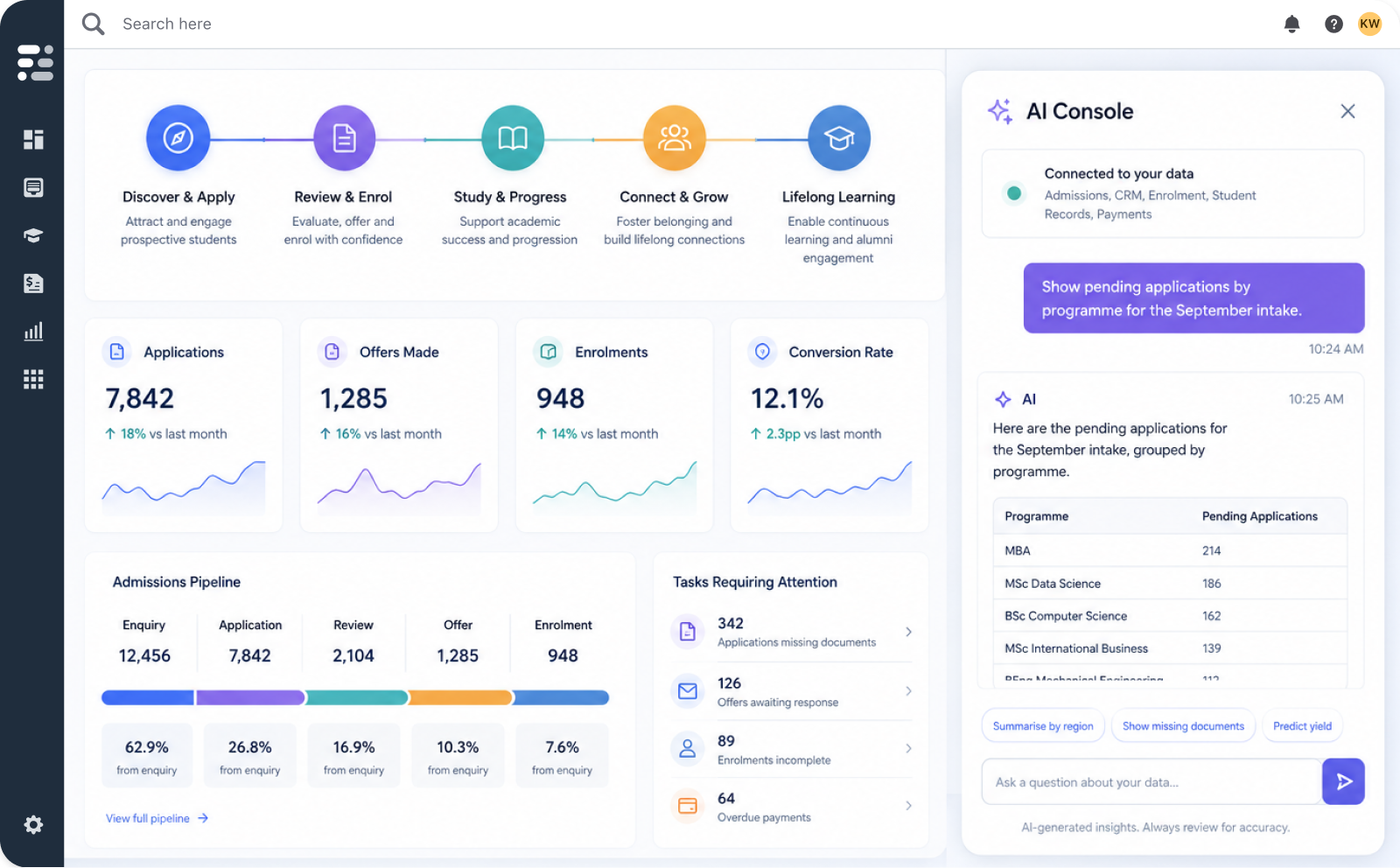
The AI can use the current module, the active intake and the user’s permissions to return a grounded answer, with the option to navigate to the underlying view.
AI is only valuable when it understands your institution, your students and your workflows.
Full Fabric brings AI into the platform your teams already use to run recruitment, admissions, student records and engagement, so it works against your data, inside your workflows, and within your permissions.
Interactive demo
Generic AI tools sit outside your institutional data. They can answer general questions, but they cannot tell you how many applications are pending for the September intake, which programmes are over-subscribed, or what stage a candidate has reached in your review workflow.
Contextual AI is different. When the assistant operates inside the same platform as your enquiries, applications, student records, events and communications, every interaction can be more informed, more personalised and more efficient.
The context comes from Full Fabric’s unified platform — where institutional data, student records, workflows and permissions live in a single system.
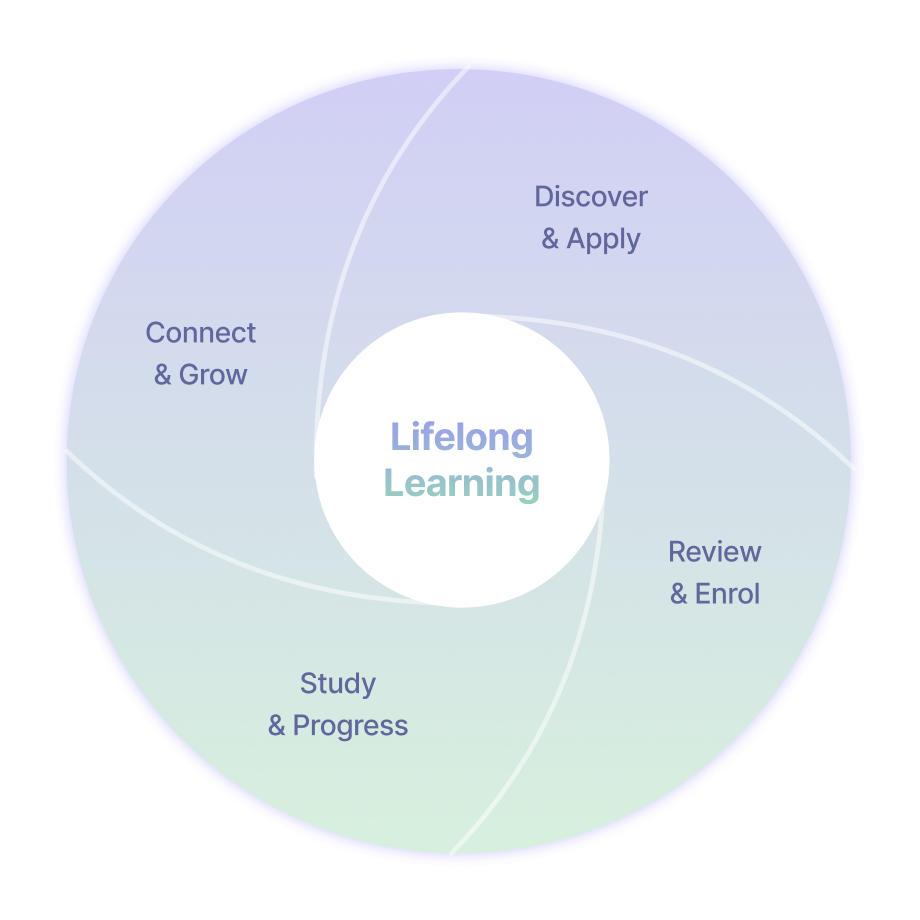
Full Fabric models the full higher education lifecycle in a single platform. Contextual AI works as a layer across all of it, surfacing differently depending on the team, the screen and the task at hand.
Ask questions about enquiry volumes, campaign performance and applicant interest. Identify patterns in where recruitment is working. Support targeted communication grounded in real engagement data.
Summarise applicant information, pull together academic background and supporting documents, and answer questions about a candidate’s progress through the funnel, alongside the online application portal and the wider admissions CRM.
Help staff make sense of student records and current status within the Student Information System. Answer contextual questions about individual students or whole cohorts.
Support events, campaigns and engagement work. Help draft a communication to a segment, pull together past attendees, or surface patterns in engagement that would otherwise require manual reporting.
Connect learner history across programmes, alumni engagement and future learning opportunities. Help staff understand repeat participation, executive education enrolment patterns and the long-term relationship with each individual.
The same AI layer appears at each stage. What changes is the context: the user, the screen, the data in view, and the task being worked on.
The AI Console is the conversational interface for contextual AI inside Full Fabric. It is not a separate product. It is the surface through which the platform’s contextual AI is made available to your teams, working against the same data, permissions and workflows they already use.
The clearest way to understand the AI Console is through the questions and tasks staff bring to it. What the assistant can do in any conversation depends on user role, permissions and the workflows your institution has configured.
The AI can use the current module, the active intake and the user’s permissions to return a grounded answer, with the option to navigate to the underlying view.
When a candidate or student profile is open, the AI can use that profile as context, so the user does not need to re-specify who they mean.
The AI can help build the segment, show the steps it took and let the user act on the result.
The Console can support actions through natural conversation, drawing on the events, campaigns and segmentation tools already in the platform.
The AI can surface summaries that would otherwise require building a custom view — complementing the structured analytics inside admissions dashboards and reporting.
These examples depend on the data, permissions and enabled workflows in your own Full Fabric environment. The Console operates within those boundaries, not outside them.
It is designed to behave less like a separate tool that needs to be told everything from scratch, and more like a colleague who understands the screen you are on, the task you are working through and the data you are allowed to use.
Because Full Fabric runs on a single data model — applications, students, programmes, events, communications and engagement history connected in one system — the AI can work from a more coherent picture rather than fragmented records across separate CRM and SIS tools.
Contextual AI only earns trust if institutions can see what it is doing and stay in control of what it can access.
When the Console queries applications, retrieves profile data, builds a segment or drafts a communication, the actions stream into the conversation in real time. Users can see what was done and why a particular answer was produced.
The AI is designed to work within the user’s existing role and access permissions. If a user should not access a record, programme or module, the AI should not surface that data either.
Administrators can review AI Console activity, including which data was accessed and when, alongside the broader controls described on the security and GDPR compliance page.
Users can browse, reload or delete previous conversations, keeping context when it is useful and removing it when it is not.
The aim is to make AI legible, so staff, administrators and IT leadership can all see what it is doing on their behalf.
Contextual AI shows up differently for each team. A short summary of where it can help.
Assemble applicant summaries, surface pending-application lists and cut time spent chasing missing information, alongside the wider application management system.
Explore enquiry sources, conversion rates and campaign performance without waiting for a report.
Build segments through conversation and draft campaign content grounded in real cohort data.
Surface the right student record and recent interactions with the full picture in view.
Pull attendee lists and understand which audiences engage with which formats.
Ask strategic questions of institutional data in natural language and compare cohorts, intakes and programmes.
Reduce manual work involved in routine queries, list building and cross-module lookups.
Bring AI into the institution within a governed, permissioned, auditable system, paired with the wider integrations ecosystem.
Full Fabric is explicit about this, both in product and on this page. The AI Console is designed to assist staff, not to replace institutional judgement.
For complex or sensitive decisions — admissions outcomes, fee assessments, communications affecting an individual’s record — outputs should be verified against the underlying data in Full Fabric. Users are encouraged to ask follow-up questions, rephrase and check the steps the AI took before acting on a result.
This is why visible working, permissions and audit logs matter. They make it straightforward to verify what the AI did and to catch the cases where a result needs review.
Used well, contextual AI can shorten the distance between a question and an answer, reduce repetitive manual work and surface information staff would otherwise miss. The point of building AI into Full Fabric is to make the careful path the default one.

See it operating against realistic institutional workflows and contextual platform data: analysing applications, summarising candidate profiles, building segments, supporting events and working through tasks in natural language.
See how contextual AI can support your recruitment, admissions and student lifecycle workflows inside Full Fabric.